Maptek PointStudio
Point cloud processing & analysis

Maptek Data System
Maptek Compute Framework
Maptek Orchestration Environment
Join our early access program to unlock value for your organisation.
Drill & blast management
Interconnected mine scheduling
Reliable proximity awareness underground
Dynamic survey surface updates
3D mine planning & geological modelling
Streamlined geological modelling workflow
Machine learning assisted domain modelling
Material tracking & reconciliation systems
3D laser scanning & imaging
Point cloud processing & analysis
LiDAR-based stability & convergence monitoring
Derive value from airborne or mobile sensor data


Point cloud processing & analysis
PointStudio Contents
Table of Contents
Related Pages
Support & Documentation
Table of Contents
Related Pages
Support & Documentation
Dedicated workflows and reporting options improve efficiency and productivity for both surface and underground mine operations
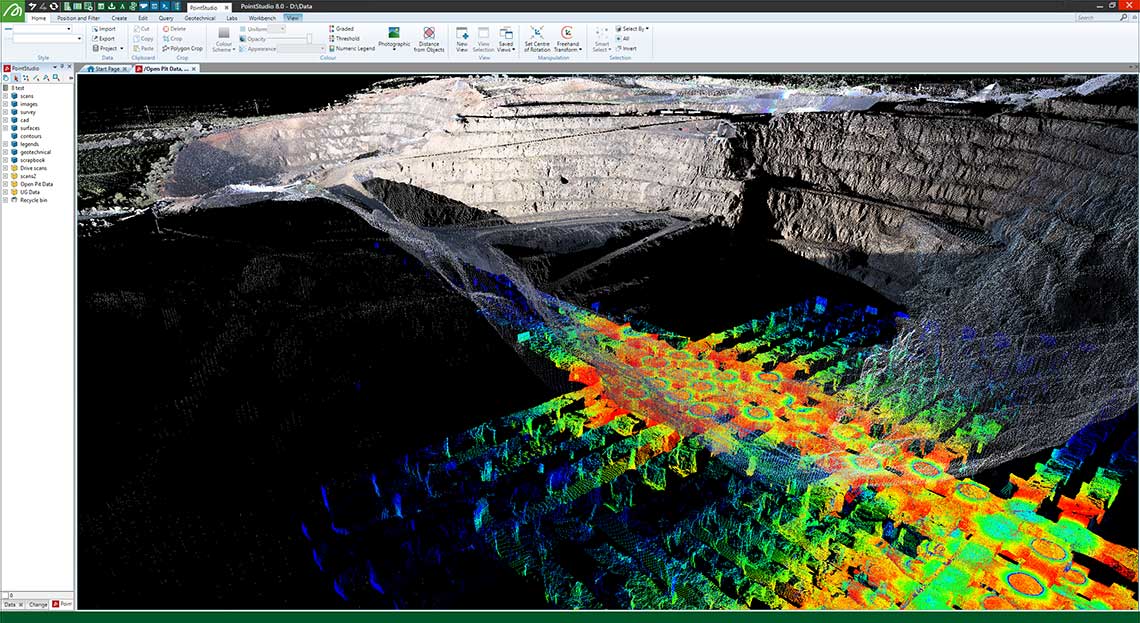
Get a quick and clear picture about the status of your project with intuitive point cloud processing tools. Process and combine point cloud data from Maptek laser scanners, UAV and other lidar sensors into easy to understand deliverables. Measure stockpile volumes with ease, update end of month survey models with new field data, and analyse geotechnical risks that could impact the safety of your operation. PointStudio provides the tools to accurately measure, quantify and communicate conformance to design.
PointStudio is delivered on the Maptek Workbench for interoperability with other Maptek solutions. Users can easily set up workflows to automate and standardise site processes. Custom toolbars, menus, workflows and shortcut keys are easily set up to suit individual work patterns and standardise processes across teams, sites and operations
Custom workflows and easy-to-use interface
Create custom workflows for routine mining tasks. Share and adapt with team members to
create
standardised processes for repeatable results.
Flexible registration tools
Fast, smart registration tools to register many different types of data. Single-button
survey
registration as well as automated tools for un-surveyed scans.
Powerful modelling and analysis tools
Create surfaces or models using various modelling options, depending on the type of data.
Quickly
analyse large datasets using query tools.
Intuitive CAD interface
Powerful, intuitive and familiar CAD creation and editing tools.
Impressive presentations
Direct export to 3D PDF and universal 3D file formats to allow dynamic viewing of models;
create
animations from key frames and deliver professional quality, high fidelity digital video
output.
Customised language interface
American English, Modern Chinese, Spanish, German, Japanese, Portuguese, Russian, French,
Indonesian
(Bahasa) and Simplified Chinese language interface chosen automatically based on PC
settings.
Multiple data formats
Work with common industry standard data formats.
Extend your survey applications with our geotechnical, design conformance and reporting add-ons.
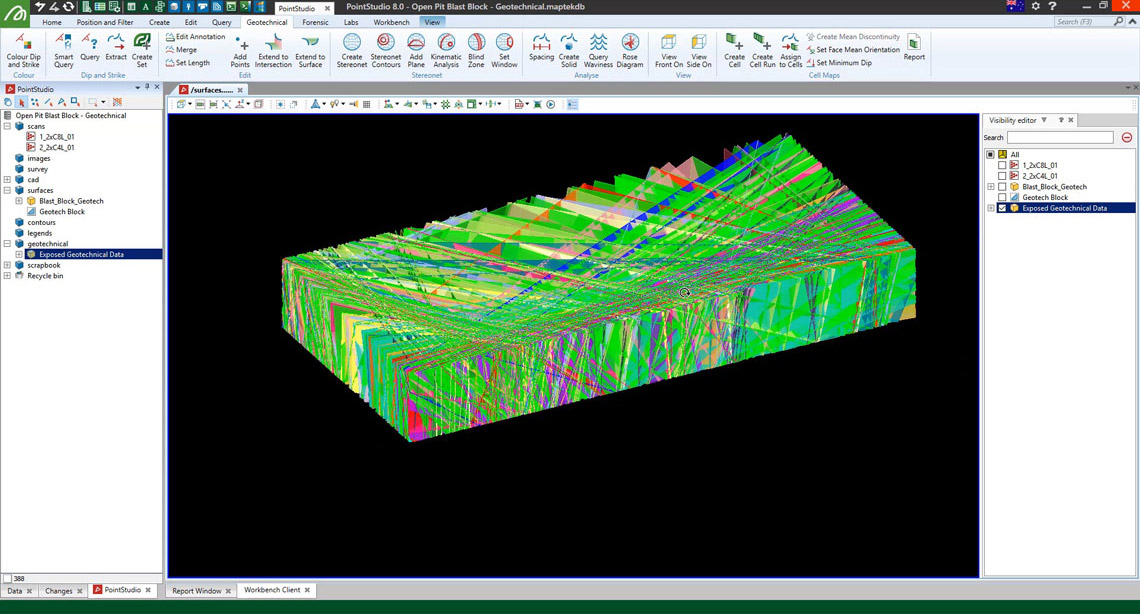
Powerful analysis and mapping tools help manage risk in surface and underground mines.
Upload images from drone or UAV to extract extremely detailed point clouds.
A new ribbon menu including registration, filtering and modelling tools dedicated to underground survey applications.
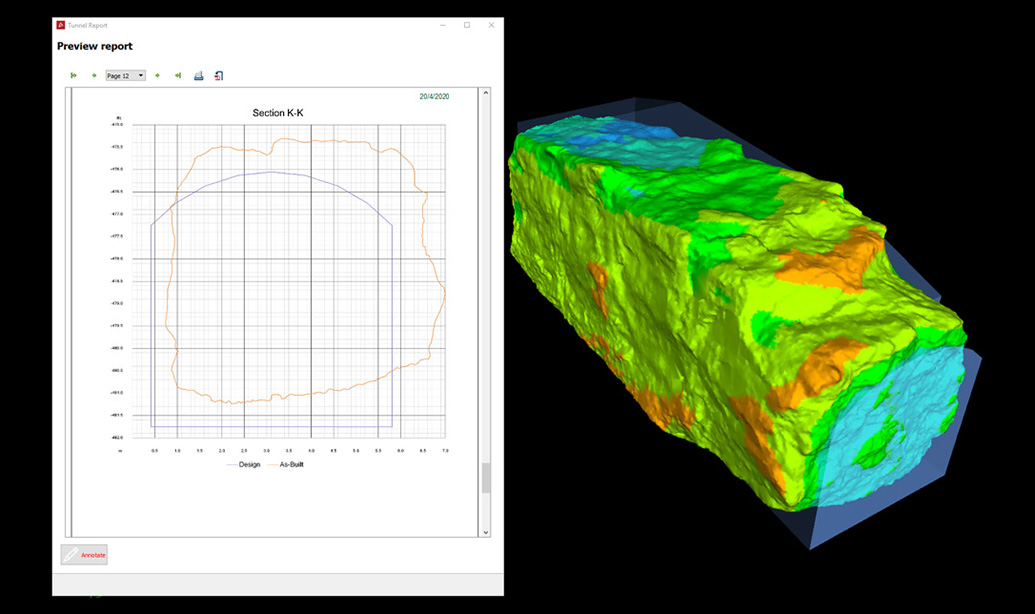
Compare design surface to as-built and other surfaces, export PDFs of cross-sections and volumes showing conformance.
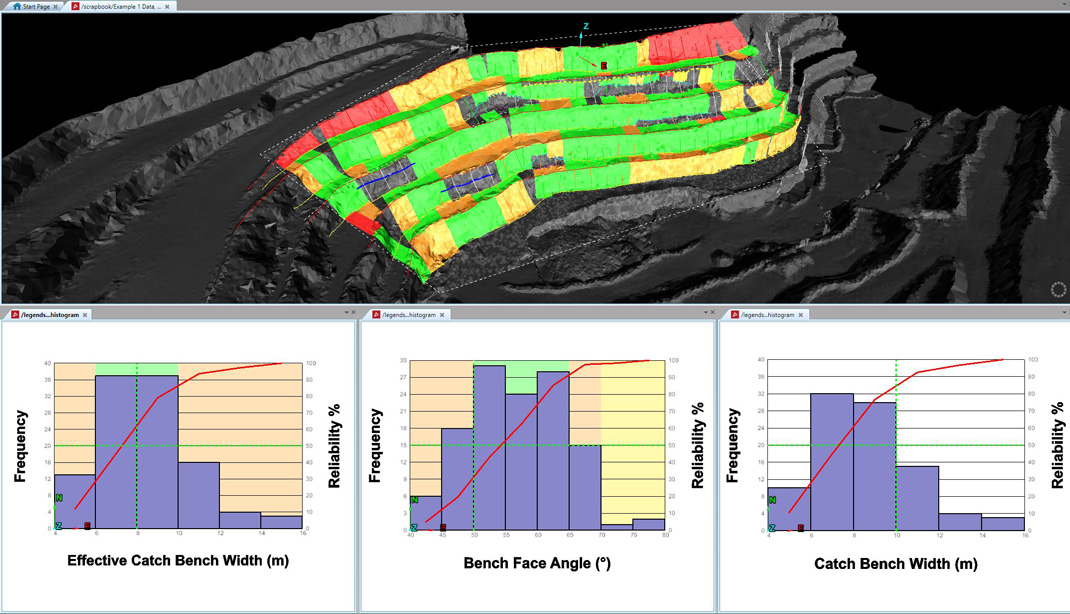
Report on bench face angles and catch bench widths. Determine if wall angles and catch bench widths need adjusting for safe, economic mining.
Ensure accurate data flows through to production for improved haul road design, mine processes and safety.
The Geotechnical Suite add-on enables accurate, informative geotechnical analysis and reporting to guide mine design and planning decisions.
Reconcile rock bolt distribution and effectiveness for improving safety underground.
Visualise and analyse the fragmentation of a blast to identify wall stability issues, and improve processes such as haulage and mill throughput.
ReCAPTCHA has failed to load! Try reloading the page to submit this form. ReCAPTCHA no se ha podido cargar. Intente volver a cargar la página para enviar este formulario. Não foi possível carregar ReCAPTCHA. Tente recarregar a página para enviar este formulário. Не удалось загрузить ReCAPTCHA. Попробуйте перезагрузить страницу, чтобы отправить эту форму.
We use cookies to enhance your browsing experience and analyse our traffic. By clicking "Accept all", you consent to our use of cookies. You can customise your cookie preferences by clicking 'Customise Preferences'.
We use cookies to enhance your browsing experience and analyse our traffic.
Our website may store cookies on your computer in order to improve and customise your future visits to the website. By using cookies, we can track information about your usage of the site and improve your experience with anonymous and aggregated user data.
Review our Privacy PolicyEssential for the website's functionality, without which the site cannot operate smoothly.
Remember user preferences and choices to provide a more personalized experience.
Collect data on how users interact with the website, helping to improve user experience.
Used to deliver targeted advertisements to users based on their browsing behavior and preferences.